> For the complete documentation index, see [llms.txt](https://docs.threatdefence.com/llms.txt). Markdown versions of documentation pages are available by appending `.md` to page URLs; this page is available as [Markdown](https://docs.threatdefence.com/platform-management/platform-components/secops-ai/ai-chatbot.md).
# AI Chatbot
#### **AI Chatbot for Security Operations**
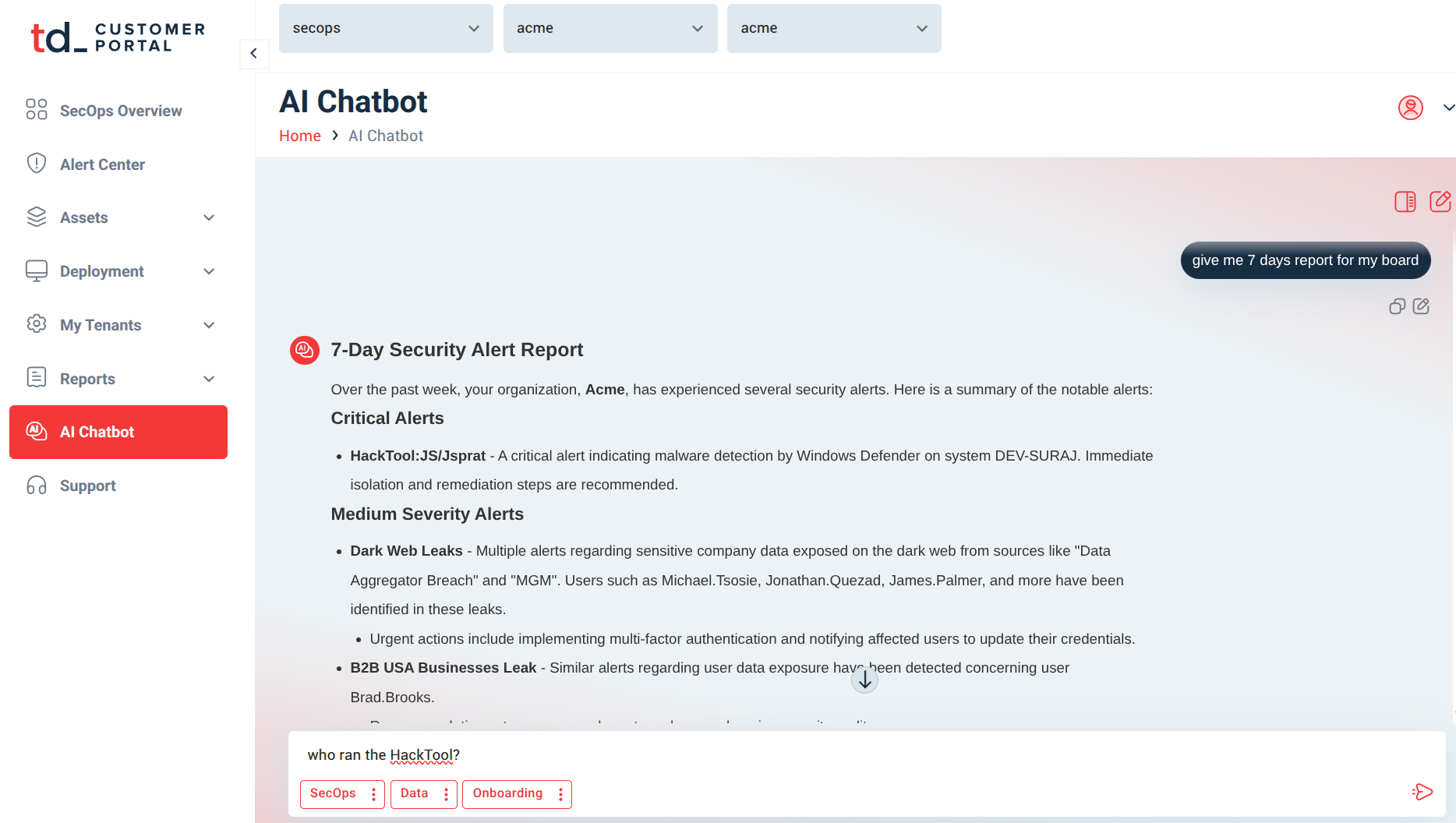
ThreatDefence’s AI Chatbot transforms how your team interacts with security data by providing a natural language interface for real-time investigation, threat hunting, and response. Accessible directly within the platform, it allows users to ask questions in plain English and receive instant, actionable answers, turning complex data analysis into a simple conversation and dramatically accelerating security operations.
**Business Benefits:**
1. **Democratizes Security Data,** enabling non-technical stakeholders to gain insights and perform investigations without writing complex queries or relying on specialized analysts.
2. **Accelerates Investigation and Response,** by providing immediate answers to critical security questions, reducing mean time to detect (MTTD) and mean time to respond (MTTR).
3. **Enables Proactive Threat Hunting,** by allowing users to easily explore data, ask iterative questions, and uncover hidden threats that may evade automated detection.
4. **Improves Operational Efficiency,** by automating routine queries, report generation, and data retrieval, freeing security staff to focus on high-value tasks.
5. **Enhances Collaboration and Training,** by providing an intuitive interface that helps junior analysts perform at a senior level and facilitates knowledge sharing across teams.
***
**How It Works: Conversational Security Intelligence**
1. **Natural Language Processing (NLP):** Interprets user questions in plain English, such as “Show me all failed logins for the CEO in the last 48 hours.”
2. **Real-Time Data Querying:** Executes complex searches across integrated data sources (SIEM, EDR, cloud, network) to retrieve relevant information.
3. **Contextual Understanding:** Recognizes intent, entities, and relationships to provide accurate, context-aware responses.
4. **Action Integration:** Allows users to execute response actions, such as isolating endpoints or escalating incidents, directly through chat commands.
***
**What It Can Do**
* Answer questions about alerts, incidents, and security posture
* Generate custom reports on demand (e.g., “Give me a weekly threat summary”)
* Initiate threat hunts based on natural language prompts
* Provide guidance on next steps for investigation or response
* Execute pre-approved actions via integrated SOAR playbooks
***
**Use Cases**
* **Executive Reporting:** Enable leaders to ask high-level questions about risk posture, incident trends, or compliance status without technical jargon.
* **Alert Triage:** Allow analysts to quickly gather context around an alert by asking, “What else did this user do today?”
* **Threat Hunting:** Empower hunters to explore data conversationally, e.g., “Find all machines that contacted this malicious domain.”
* **Incident Response:** Speed up investigations with commands like, “Isolate this endpoint and block the associated IP address.”
* **Training and Onboarding:** Help new analysts learn the environment by allowing them to ask questions like, “How do I investigate a phishing alert?”
***
**Why It Matters**
Traditional security tools often require deep technical expertise, creating bottlenecks and slowing down critical response times. ThreatDefence’s AI Chatbot breaks down these barriers by making security data accessible and actionable for everyone, from executives to junior analysts. By enabling natural language interaction with your entire security infrastructure, it ensures faster decisions, smoother collaboration, and a more resilient security posture.
---
# Agent Instructions
This documentation is published with GitBook. GitBook is the documentation platform designed so that both humans and AI agents can read, navigate, and reason over technical content effectively. Learn more at gitbook.com.
## Querying This Documentation
If you need additional information that is not directly available in this page, you can query the documentation by asking a question.
Perform an HTTP GET request on the following URL with the `ask` and `goal` query parameters:
```
GET https://docs.threatdefence.com/platform-management/platform-components/secops-ai/ai-chatbot.md?ask=&goal=
```
`ask` is the immediate question: it should be specific, self-contained, and written in natural language.
`goal` is what the user is ultimately trying to achieve, the reason they need the answer. Sharing it helps GitBook give you a better, more relevant answer. A goal is most helpful when it describes the outcome the user wants rather than restating the question. For example, with `ask=how do I create an API token`, a goal like `automate deployments from our CI pipeline` lets GitBook tailor the answer to that use case.
The response will contain a direct answer to the question and relevant excerpts and sources from the documentation.
Use this mechanism when the answer is not explicitly present in the current page, you need clarification or additional context, or you want to retrieve related documentation sections.